
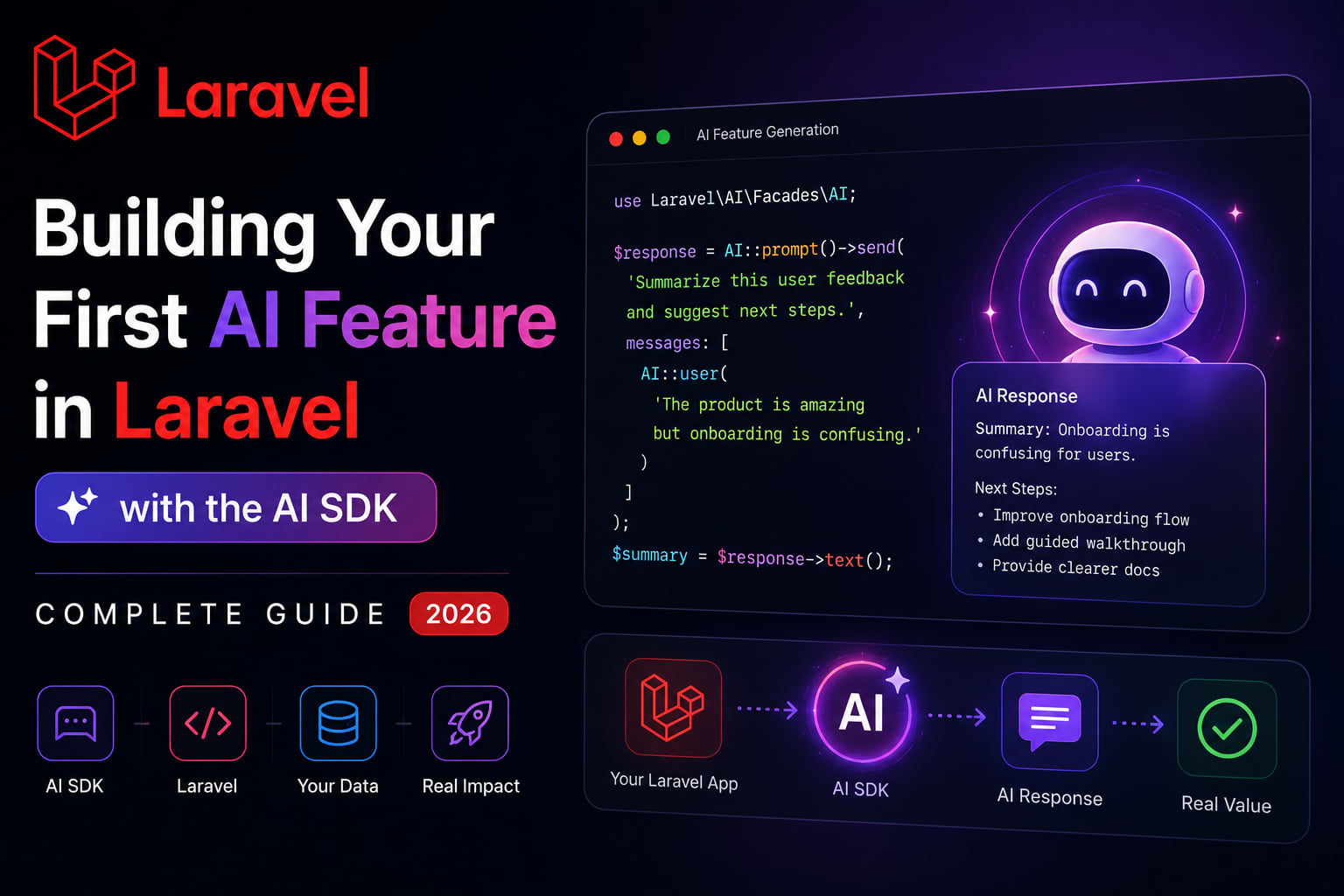
Building Your First AI Feature in Laravel with the AI SDK — Complete Guide (2026)
Let me show you what adding AI to a Laravel application looked like six months ago.
You picked a provider. You installed their SDK. You wrote a service class to wrap it. You normalized the response format yourself. You handled retries yourself. You wrote tests that mocked HTTP calls yourself. And then six weeks into the project, the client asked if you could switch from OpenAI to Anthropic because of cost. You looked at your service class and started calculating the rewrite.
Before Laravel 13, adding AI meant installing a third-party SDK, writing a custom wrapper, normalizing errors yourself, and hoping the abstraction held when you needed to swap models. Most teams ended up with a fat service class that knew too much, a leaky wrapper that only worked for one provider, or raw Http::post() calls buried in controllers. GitHub
Taylor Otwell described the motivation at Laracon EU 2026: "It felt like we needed a first-party opinion on interacting with AI providers — just like we have opinions on sending email or queuing jobs." The SDK is not a thin wrapper around one API. It is a full architectural layer — the same way Eloquent is a full layer on top of SQL, not just a query shortcut. Kamruzzaman Polash
This guide takes you from installation to three real working AI features — no theory, all code.
Installation and Configuration
Step 1 — Install the SDK
bash
composer require laravel/ai
php artisan ai:install
This creates a new file at config/ai.php. One command. No extra configuration file needed at this point beyond what the install command generates. Tamiltech
Step 2 — Configure Your Provider
php
// config/ai.php
return [
    'default' => env('AI_PROVIDER', 'openai'),

    'providers' => [
        'openai' => [
            'api_key' => env('OPENAI_API_KEY'),
            'model'   => env('OPENAI_MODEL', 'gpt-4o'),
        ],

        'anthropic' => [
            'api_key' => env('ANTHROPIC_API_KEY'),
            'model'   => env('ANTHROPIC_MODEL', 'claude-sonnet-4-6'),
        ],
    ],
];
Step 3 — Set Your Environment Variables
env
# Choose one provider to start
AI_PROVIDER=openai
OPENAI_API_KEY=sk-your-key-here
OPENAI_MODEL=gpt-4o

# Or use Anthropic
# AI_PROVIDER=anthropic
# ANTHROPIC_API_KEY=your-key-here
# ANTHROPIC_MODEL=claude-sonnet-4-6
That is the entire setup. No service provider registration. No facade alias. Laravel handles everything.
Feature 1 — Smart Content Generator
The simplest possible AI feature. A product description generator for an e-commerce application.
The Service Class
php
// app/Services/ContentGeneratorService.php
namespace App\Services;

use App\Models\Product;
use Illuminate\Support\Facades\AI;
use Illuminate\Support\Facades\Cache;

class ContentGeneratorService
{
    public function generateProductDescription(Product $product): string
    {
        // Cache generated descriptions — avoid re-generating same product
        return Cache::remember(
            "ai_description_{$product->id}",
            now()->addWeek(),
            function () use ($product) {
                return (string) AI::text(
                    system: 'You are a skilled e-commerce copywriter.
                             Write concise, compelling product descriptions.
                             Always be honest and factual. Maximum 150 words.',
                    prompt: "Write a product description for:
                             Name: {$product->name}
                             Category: {$product->category->name}
                             Price: ₹{$product->price}
                             Key features: {$product->features}"
                );
            }
        );
    }

    public function generateBlogOutline(string $topic): array
    {
        $response = (string) AI::text(
            system: 'You are a technical content strategist.
                     Return ONLY valid JSON, no markdown, no explanation.',
            prompt: "Create a blog outline for: {$topic}
                     Return JSON: {
                       \"title\": \"...\",
                       \"sections\": [\"section1\", \"section2\"],
                       \"estimated_read_time\": 8
                     }"
        );

        return json_decode($response, true) ?? [];
    }

    public function improveWriting(string $text, string $tone = 'professional'): string
    {
        return (string) AI::text(
            system: "You are an expert editor. Improve the writing while
                     maintaining the original meaning. Tone: {$tone}.",
            prompt: "Improve this text:\n\n{$text}"
        );
    }
}
The Controller
php
// app/Http/Controllers/Api/V1/ProductController.php
class ProductController extends Controller
{
    public function __construct(
        private ContentGeneratorService $contentGenerator
    ) {}

    public function generateDescription(Product $product): JsonResponse
    {
        $this->authorize('update', $product);

        $description = $this->contentGenerator
            ->generateProductDescription($product);

        return response()->json([
            'description' => $description,
            'cached'      => Cache::has("ai_description_{$product->id}"),
        ]);
    }

    public function applyDescription(
        ApplyDescriptionRequest $request,
        Product $product
    ): JsonResponse {
        $this->authorize('update', $product);

        $product->update([
            'description' => $request->validated('description'),
        ]);

        // Clear the cached AI description since user applied their own
        Cache::forget("ai_description_{$product->id}");

        return new ProductResource($product);
    }
}
Feature 2 — AI Support Agent with Tool Calling
This is where the SDK gets genuinely powerful. An agent that can look up real data from your database and use it to answer questions.
The Laravel AI SDK supports agents, tools, embeddings, vector stores, and streaming — all first-party, built into the framework. You can build a customer support platform where the agent looks up real orders from the database, searches a knowledge base, classifies tickets, and streams responses through a Livewire chat UI. Itpathsolutions
Define the Tools
php
// app/Ai/Tools/LookupOrder.php
namespace App\Ai\Tools;

use App\Models\Order;
use Laravel\Ai\Tool;

class LookupOrder extends Tool
{
    public string $name        = 'lookup_order';
    public string $description = 'Look up order details by order ID or email address';

    public array $parameters = [
        'identifier' => [
            'type'        => 'string',
            'description' => 'Order ID (e.g. ORD-12345) or customer email address',
            'required'    => true,
        ],
    ];

    public function handle(string $identifier): string
    {
        $order = str_contains($identifier, '@')
            ? Order::with(['items.product', 'user'])
                   ->whereHas('user', fn($q) => $q->where('email', $identifier))
                   ->latest()
                   ->first()
            : Order::with(['items.product', 'user'])
                   ->where('order_number', $identifier)
                   ->first();

        if (!$order) {
            return "No order found for: {$identifier}";
        }

        return json_encode([
            'order_number' => $order->order_number,
            'status'       => $order->status->label(),
            'total'        => '₹' . number_format($order->total, 2),
            'placed_at'    => $order->created_at->diffForHumans(),
            'items'        => $order->items->map(fn($item) => [
                'product'  => $item->product->name,
                'quantity' => $item->quantity,
                'price'    => '₹' . number_format($item->price, 2),
            ]),
            'tracking_url' => $order->tracking_url,
        ]);
    }
}
php
// app/Ai/Tools/SearchKnowledgeBase.php
namespace App\Ai\Tools;

use App\Models\Article;
use Laravel\Ai\Tool;

class SearchKnowledgeBase extends Tool
{
    public string $name        = 'search_knowledge_base';
    public string $description = 'Search the help center for answers to common questions';

    public array $parameters = [
        'query' => [
            'type'        => 'string',
            'description' => 'The customer question or search query',
            'required'    => true,
        ],
    ];

    public function handle(string $query): string
    {
        // Uses Laravel 13's native vector search (pgvector)
        $articles = Article::whereVectorSimilarTo('embedding', $query)
            ->where('published', true)
            ->limit(3)
            ->get(['title', 'content', 'url']);

        if ($articles->isEmpty()) {
            return 'No relevant articles found in the knowledge base.';
        }

        return $articles->map(fn($article) =>
            "Title: {$article->title}\nContent: {$article->content}\nURL: {$article->url}"
        )->implode("\n\n---\n\n");
    }
}
Build the Agent
php
// app/Ai/Agents/SupportAgent.php
namespace App\Ai\Agents;

use App\Ai\Tools\LookupOrder;
use App\Ai\Tools\SearchKnowledgeBase;
use Laravel\Ai\Agent;

class SupportAgent extends Agent
{
    protected string $system = '
        You are a helpful customer support agent for our e-commerce platform.
        You have access to order lookup and knowledge base search tools.

        Guidelines:
        - Always be polite and empathetic
        - Look up actual order data when a customer asks about an order
        - Search the knowledge base before saying you do not know something
        - Keep responses concise — under 150 words unless more detail is needed
        - Never make up order details or policies
        - If you cannot resolve an issue, offer to escalate to a human agent
    ';

    protected array $tools = [
        LookupOrder::class,
        SearchKnowledgeBase::class,
    ];
}
The Controller
php
// app/Http/Controllers/Api/V1/SupportController.php
class SupportController extends Controller
{
    public function chat(SupportChatRequest $request): JsonResponse
    {
        $response = SupportAgent::make()
            ->prompt($request->validated('message'));

        // Log conversation for quality review
        SupportConversation::create([
            'user_id'  => auth()->id(),
            'message'  => $request->validated('message'),
            'response' => (string) $response,
            'tools_used' => $response->toolsUsed(),
        ]);

        return response()->json([
            'response'   => (string) $response,
            'tools_used' => $response->toolsUsed(),
        ]);
    }
}
Feature 3 — Semantic Search with Embeddings
Traditional search finds exact keyword matches. Semantic search finds conceptually related content. A user searching "how to cancel my subscription" should find articles about "ending your membership" even if those exact words are not in their query.
Step 1 — Add Vector Column to Your Table
php
// database/migrations/add_embedding_to_articles_table.php
Schema::table('articles', function (Blueprint $table) {
    // 1536 dimensions for OpenAI ada-002
    // 1024 for Anthropic's embedding model
    $table->vector('embedding', 1536)->nullable();
    $table->index('embedding'); // pgvector index
});
sql
-- Enable pgvector extension first
CREATE EXTENSION IF NOT EXISTS vector;

-- Create an IVFFlat index for fast approximate search
CREATE INDEX articles_embedding_idx ON articles
USING ivfflat (embedding vector_cosine_ops)
WITH (lists = 100);
Step 2 — Generate and Store Embeddings
php
// app/Models/Article.php
use Illuminate\Support\Facades\AI;

class Article extends Model
{
    protected static function booted(): void
    {
        // Auto-generate embedding when article is created or content changes
        static::saved(function (Article $article) {
            if ($article->wasChanged(['title', 'content'])) {
                GenerateArticleEmbedding::dispatch($article);
            }
        });
    }
}
php
// app/Jobs/GenerateArticleEmbedding.php
#[DebounceFor(60)] // Wait 60s in case of rapid edits
class GenerateArticleEmbedding implements ShouldQueue
{
    public function __construct(public Article $article) {}

    public function debounceId(): string
    {
        return "article-embedding-{$this->article->id}";
    }

    public function handle(): void
    {
        $textToEmbed = "{$this->article->title}\n\n{$this->article->content}";

        $embedding = AI::embed($textToEmbed);

        $this->article->update([
            'embedding' => $embedding->toArray(),
        ]);
    }
}
Step 3 — Search with Semantic Similarity
php
// app/Services/SearchService.php
use Illuminate\Support\Facades\AI;

class SearchService
{
    public function semanticSearch(string $query, int $limit = 10): Collection
    {
        // Generate embedding for the search query
        $queryEmbedding = AI::embed($query);

        // Find conceptually similar articles
        return Article::whereVectorSimilarTo('embedding', $queryEmbedding)
            ->where('published', true)
            ->select(['id', 'title', 'slug', 'excerpt', 'published_at'])
            ->limit($limit)
            ->get();
    }

    public function hybridSearch(string $query, int $limit = 10): Collection
    {
        $queryEmbedding = AI::embed($query);

        // Combine semantic similarity with keyword matching
        return Article::whereVectorSimilarTo('embedding', $queryEmbedding)
            ->orWhere(function ($q) use ($query) {
                $q->where('title', 'LIKE', "%{$query}%")
                  ->orWhere('content', 'LIKE', "%{$query}%");
            })
            ->where('published', true)
            ->orderByVectorDistance('embedding', $queryEmbedding)
            ->limit($limit)
            ->get();
    }
}
Streaming — Real-Time AI Responses
For long-form content generation, streaming shows the response as it is generated instead of making the user wait for the full response.
Server-Sent Events Endpoint
php
// routes/api.php
Route::get('/ai/stream', [AiStreamController::class, 'stream'])
    ->middleware('auth:sanctum');
php
// app/Http/Controllers/Api/V1/AiStreamController.php
use Illuminate\Http\Request;
use Illuminate\Support\Facades\AI;
use Symfony\Component\HttpFoundation\StreamedResponse;

class AiStreamController extends Controller
{
    public function stream(Request $request): StreamedResponse
    {
        $prompt = $request->string('prompt')->limit(1000);

        return response()->stream(function () use ($prompt) {
            foreach (AI::stream(
                system: 'You are a helpful writing assistant.',
                prompt: $prompt
            ) as $chunk) {
                echo "data: " . json_encode(['chunk' => $chunk]) . "\n\n";
                ob_flush();
                flush();
            }

            echo "data: [DONE]\n\n";
            ob_flush();
            flush();
        }, 200, [
            'Content-Type'  => 'text/event-stream',
            'Cache-Control' => 'no-cache',
            'X-Accel-Buffering' => 'no', // Disable Nginx buffering
        ]);
    }
}
Consume in JavaScript
javascript
// Frontend — consuming the stream
const eventSource = new EventSource('/api/ai/stream?prompt=Write+a+blog+intro');

let fullResponse = '';

eventSource.onmessage = (event) => {
    if (event.data === '[DONE]') {
        eventSource.close();
        return;
    }

    const data = JSON.parse(event.data);
    fullResponse += data.chunk;

    // Update UI in real time
    document.getElementById('output').textContent = fullResponse;
};
Testing AI Features — No Real API Calls
The SDK ships with testable fakes built in. Test AI features without hitting any API — your test suite runs at full speed with no external dependencies and no API costs. Kamruzzaman Polash
php
// tests/Feature/ContentGeneratorTest.php
use Illuminate\Support\Facades\AI;

test('generates product description', function () {
    // Fake the AI responses — no real API call
    AI::fake([
        'The XPulse 200 is a versatile adventure motorcycle built for Indian terrain.'
    ]);

    $product = Product::factory()->create([
        'name' => 'Hero XPulse 200',
    ]);

    $response = $this->actingAs($product->user, 'sanctum')
        ->postJson("/api/v1/products/{$product->id}/generate-description");

    $response->assertOk()
             ->assertJsonStructure(['description', 'cached']);

    expect($response->json('description'))
        ->toContain('XPulse 200');

    // Verify AI was called with correct prompt
    AI::assertPromptContains('Hero XPulse 200');
});

test('support agent uses lookup tool when asked about order', function () {
    $order = Order::factory()->create(['order_number' => 'ORD-12345']);

    AI::fake([
        AI::toolCall('lookup_order', ['identifier' => 'ORD-12345']),
        "Your order ORD-12345 is currently being processed.",
    ]);

    $response = $this->actingAs($order->user, 'sanctum')
        ->postJson('/api/v1/support/chat', [
            'message' => 'Where is my order ORD-12345?',
        ]);

    $response->assertOk()
             ->assertJsonPath('tools_used.0', 'lookup_order');
});

test('semantic search returns relevant results', function () {
    AI::fake(embeddings: [
        array_fill(0, 1536, 0.1), // Fixed embedding for test
    ]);

    $article = Article::factory()->create([
        'title'     => 'How to cancel your subscription',
        'published' => true,
    ]);

    $response = $this->getJson('/api/v1/search?q=end+my+membership');

    $response->assertOk()
             ->assertJsonCount(1, 'data');
});
Switching Providers — Zero Code Changes
The SDK is designed to be provider-agnostic. It works with OpenAI and Anthropic out of the box, and switching between providers is a single configuration value change rather than a code rewrite. The unified interface abstracts away provider-specific API differences, retry logic, and error normalization. Laravel News
env
# .env — switch between providers anytime
AI_PROVIDER=openai     # Uses gpt-4o
AI_PROVIDER=anthropic  # Uses claude-sonnet-4-6
php
// config/ai.php — use specific provider for specific features
return [
    'default' => env('AI_PROVIDER', 'openai'),

    // Use different providers per feature
    'connections' => [
        'chat'      => env('AI_CHAT_PROVIDER', 'anthropic'),
        'embedding' => env('AI_EMBED_PROVIDER', 'openai'),   // ada-002 for embeddings
        'vision'    => env('AI_VISION_PROVIDER', 'openai'),  // GPT-4o for images
    ],
];

// In your service — use specific connection
$embedding = AI::connection('embedding')->embed($text);
$response  = AI::connection('chat')->text(prompt: $message);
Error Handling and Retries
The SDK handles retries automatically, but you should handle errors gracefully in your application.
php
// app/Services/ContentGeneratorService.php
use Laravel\Ai\Exceptions\AiException;
use Laravel\Ai\Exceptions\RateLimitException;
use Laravel\Ai\Exceptions\ContentFilterException;

class ContentGeneratorService
{
    public function generateSafely(string $prompt): ?string
    {
        try {
            return (string) AI::text(prompt: $prompt);

        } catch (ContentFilterException $e) {
            // Content was blocked by the provider's safety filter
            \Log::warning('AI content filter triggered', [
                'prompt'  => substr($prompt, 0, 100),
                'reason'  => $e->getMessage(),
            ]);
            return null;

        } catch (RateLimitException $e) {
            // Too many requests — dispatch to queue for retry
            GenerateContent::dispatch($prompt)->delay(now()->addMinutes(1));
            return null;

        } catch (AiException $e) {
            // Provider error — log and fail gracefully
            \Log::error('AI generation failed', [
                'message'  => $e->getMessage(),
                'provider' => config('ai.default'),
            ]);
            return null;
        }
    }
}
What to Build First — Starting Point Recommendations
If you are starting a new Laravel project in 2026, there is really no reason not to consider AI features. The barrier to entry is now incredibly low. And if you are upgrading an existing app, start small. Add a single AI feature — a description generator, a smart search, a support auto-reply. Tamiltech
Easiest — build this first:
- Product/content description generator
- Auto-reply drafts for support tickets
- Smart form field suggestions
Medium — once you are comfortable:
- Semantic search on your existing content
- Document summarization
- Auto-categorization of user submissions
Advanced — when you need agents:
- Customer support agent with database access
- Data analysis agent with query tools
- Automated report generation agent
Complete Setup Checklist
-
composer require laravel/aiandphp artisan ai:install - Provider API key in
.env -
config/ai.phpconfigured with default provider - Service class for each AI feature — keep controllers thin
- Cache expensive generations — avoid re-generating same content
-
AI::fake()in tests — no real API calls in test suite - Error handling for
ContentFilterExceptionandRateLimitException - Queue jobs for background embedding generation
-
#[DebounceFor]on embedding jobs to avoid redundant regeneration - pgvector extension enabled if using semantic search
Wrapping Up
Laravel 13 fundamentally changes how you should be structuring AI work. This is not a release you skim for changelog bullet points and move on from. For anyone building AI-powered features on Laravel, the Laravel AI SDK changes the default approach to AI in PHP entirely. GitHub
Three months ago, adding AI to a Laravel project meant a week of plumbing. A custom service class, a third-party SDK, manual error handling, untestable HTTP calls.
Today it is composer require laravel/ai, a config file, and a facade. The same way sending email is Mail::to()->send().
Pick the simplest feature from the list above. Build it this week. Once you see how clean the code is, the next one comes naturally.
Tushar Modi — Full Stack Developer, Jaipur tusharmodi.in