
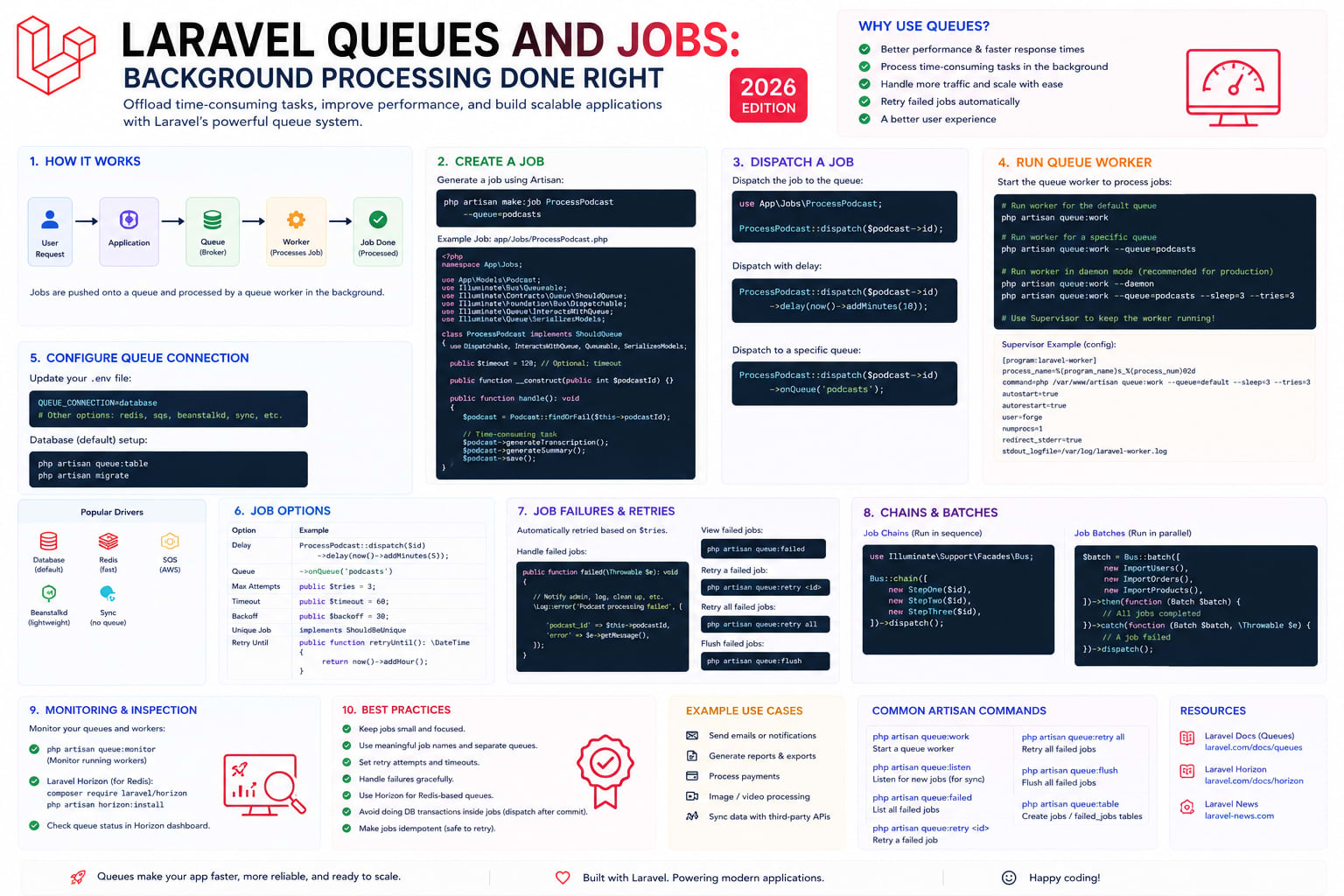
Why Use Queues?
Any operation that takes longer than 200ms and does not need to return data to the user is a candidate for the queue. Sending emails, processing uploads, generating PDFs, calling external APIs, sending webhooks, resizing images — all of these can and should be deferred. A queue lets you respond to the user immediately while the slow work happens in the background.
Creating a Job
php artisan make:job SendWelcomeEmailclass SendWelcomeEmail implements ShouldQueue
{
use Dispatchable, InteractsWithQueue, Queueable, SerializesModels;
public int $tries = 3;
public int $backoff = 60;
public function __construct(private User $user) {}
public function handle(Mailer $mailer): void
{
$mailer->to($this->user)->send(new WelcomeMail($this->user));
}
public function failed(Throwable $exception): void
{
Log::error('Welcome email failed', [
'user' => $this->user->id,
'error' => $exception->getMessage(),
]);
}
}Dispatching Jobs
// Immediate dispatch
SendWelcomeEmail::dispatch($user);

// Dispatch after a delay
SendWelcomeEmail::dispatch($user)->delay(now()->addMinutes(5));

// Dispatch on a specific queue
SendWelcomeEmail::dispatch($user)->onQueue('emails');

// Conditional dispatch
SendWelcomeEmail::dispatchIf($user->email_verified_at, $user);
Production Setup with Redis + Horizon
composer require laravel/horizon
php artisan horizon:install
php artisan horizon
Horizon provides a beautiful dashboard for monitoring your queues in real time — configure how many processes each queue runs, set throughput balancing, receive Slack alerts when queues back up, and view the entire history of processed and failed jobs.
Running Workers in Production
Queue workers are long-running processes. In production, use Supervisor to keep them alive and restart them after deployments. Run php artisan queue:restart after every deployment to gracefully restart workers so they pick up new code without dropping in-flight jobs.