
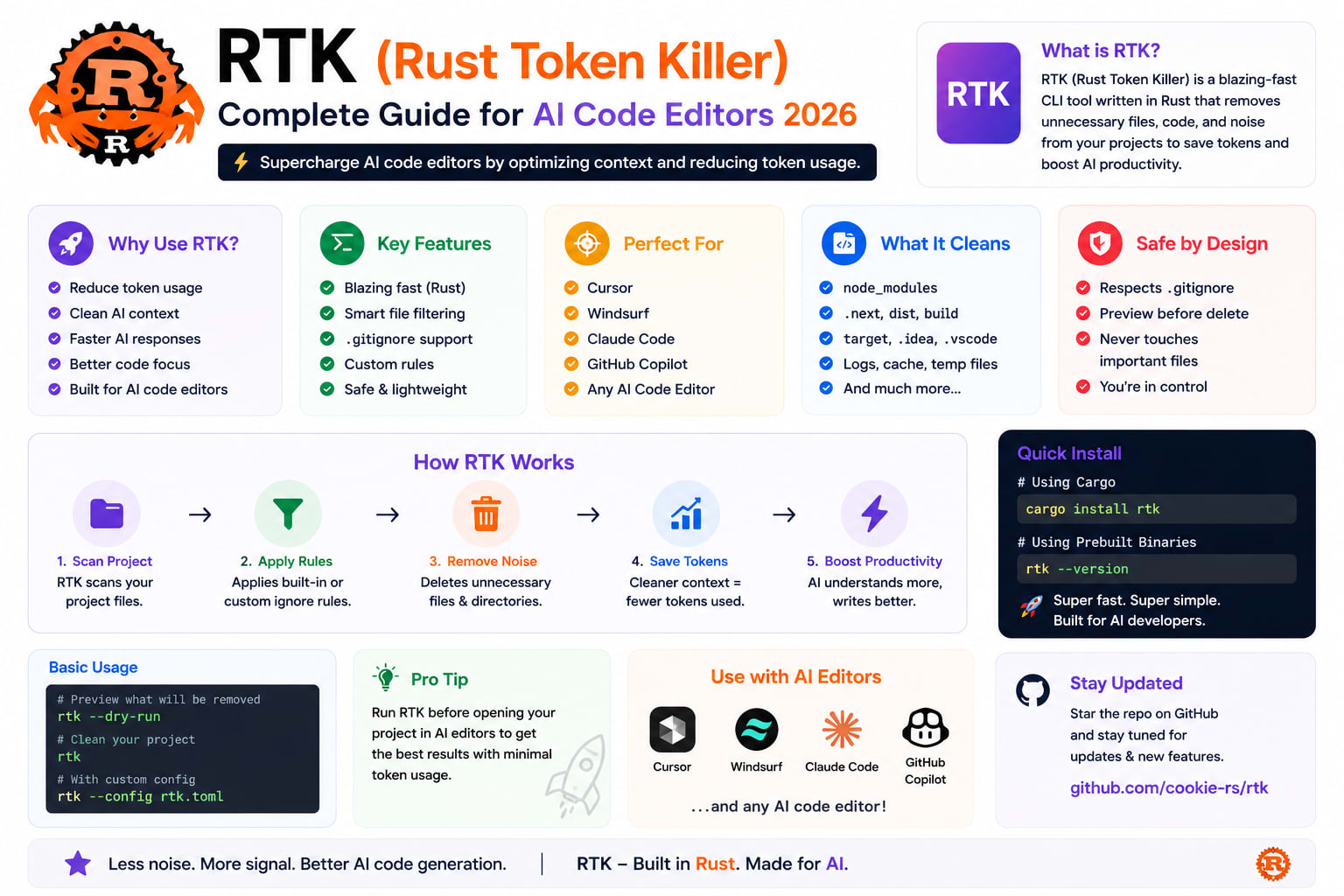
RTK (Rust Token Killer) — Complete Guide for AI Code Editors (2026)
I noticed it first as an annoyance.
A 30-minute Claude Code session on a Laravel project would end with the agent saying it had lost the thread of what we were working on. Not a model failure. A context window problem.
I checked usage. 118,000 of 200,000 tokens had been consumed — by git status dumps, php artisan test output with 262 passing tests, and one verbose composer install. The agent was not being wasteful with its reasoning. It was reading terminal output it did not need, line by line, until there was no context left for the actual work.
RTK (Rust Token Killer) is an open-source CLI proxy written in Rust that intercepts shell command output before it reaches your AI coding agent's context window. It claims 60–90% token reduction across 100+ supported commands. WaveSpeedAI
This is the complete guide — what RTK does, how it works internally, how to set it up for Claude Code, Cursor, and Copilot, and the Laravel-specific configuration that matters.
The Problem — Terminal Noise Kills Context
Every AI coding tool has a context window. Claude Code ships with 200,000 tokens. Cursor's models have similar limits. Every token the agent spends reading terminal output is a token it cannot spend on your code.
Every time an AI coding agent runs a shell command, the full output gets dumped into the context window. All of it. The 262-line test suite output where every single test passed. The verbose git log with commit metadata you'll never reference again. Rushi's
Here is what a typical Laravel development session burns on terminal output:
# Tokens consumed by common commands — before RTK

php artisan test (50 tests, all passing)
→ ~4,200 tokens of passing test output the agent never needed

git status (10 modified files)
→ ~800 tokens of file paths and diff summaries

composer install
→ ~3,500 tokens of package resolution output

php artisan migrate
→ ~600 tokens of migration names and status

docker logs (100 lines)
→ ~2,800 tokens of repeated log entries

Total burned before actual work: ~11,900 tokens
Over 10 such operations in a session: 119,000 tokens gone
This matters because AI tools are often terrible at distinguishing between high-value terminal output and boilerplate. Humans ignore most of that instinctively. Models do not. Mateusz-dev
What RTK Actually Does
RTK (Rust Token Killer) is a high-performance command-line proxy that reduces LLM token consumption by 60-90% through intelligent output filtering and compression. It wraps standard developer tools and transforms verbose, human-readable outputs into compact, LLM-optimized formats while strictly preserving process exit codes for toolchain compatibility. DeepWiki
The mechanism is clean:
Without RTK:
Agent runs: git status
Agent receives: full raw output (119 characters → parsed into tokens)
Context window: consumed with boilerplate

With RTK:
Agent runs: git status → intercepted → rtk git status
Agent receives: compressed output (28 characters)
Context window: 76% less consumed
You see: the full original output in your terminal
You see the full output. The model sees the compressed version. The compression is transparent in both directions. Claude never knows it happened. You never have to think about it. AgentConn
Installation — 30 Seconds
Step 1 — Install RTK
bash
# macOS / Linux
curl -fsSL https://rtk-ai.app/install.sh | sh

# Or via npm
npm install -g @rtk-ai/rtk

# Verify installation
rtk --version  # should show v0.42.x
rtk gain       # shows token savings statistics
Step 2 — Initialize for Your AI Tool
RTK supports a wide range of agents including Claude Code, Cursor, Copilot, Gemini CLI, Codex, Windsurf, Cline, Kilo Code, and others. GitHub
bash
# Claude Code (default)
rtk init -g

# Cursor
rtk init -g --agent cursor

# GitHub Copilot
rtk init -g

# Windsurf
rtk init -g --agent windsurf

# Gemini CLI
rtk init -g --gemini

# Cline / Roo Code
rtk init --agent cline

# Multiple tools — run for each
rtk init -g           # Claude Code
rtk init --agent cursor  # Cursor
Step 3 — Restart Your AI Tool
That is it. RTK installs a PreToolUse hook that transparently rewrites git status to rtk git status, php artisan test to rtk php artisan test, and so on. The agent sees compressed output. You see full output. Nothing else changes.
Verify It's Working
bash
# Check installation
rtk init --show

# Test compression on a command
rtk git status

# Check token savings statistics
rtk gain

# View historical savings
rtk gain --history
How RTK Works Internally
RTK operates as a proxy that intercepts execution. It routes CLI commands via a Clap derived Commands enum to specialized modules. DeepWiki
The compression logic for each command type:
Test runners (php artisan test, pytest, cargo test, vitest):
Before RTK — php artisan test output:
PASS Tests\Unit\UserTest::it_creates_user_with_valid_data
PASS Tests\Unit\UserTest::it_validates_email_format
PASS Tests\Unit\UserTest::it_hashes_password
PASS Tests\Feature\AuthTest::it_registers_user
PASS Tests\Feature\AuthTest::it_logs_in_user
... (258 more passing tests)
FAIL Tests\Feature\PaymentTest::it_processes_refund
  Expected status 200 but received 422
  at Tests/Feature/PaymentTest.php:47
Tests: 262 passed, 1 failed
Time: 8.43s

After RTK — what the agent sees:
FAIL Tests\Feature\PaymentTest::it_processes_refund
  Expected status 200 but received 422
  at Tests/Feature/PaymentTest.php:47
1 failed (of 263)
In test runners like vitest, pytest, or cargo test, RTK suppresses passing tests and only shows failure stacks. The agent gets exactly what it needs — the failure — without reading 262 irrelevant passing tests. DeepWiki
Git commands:
Before RTK — git status:
On branch feature/payment-refunds
Your branch is up to date with 'origin/feature/payment-refunds'.

Changes not staged for commit:
  (use "git add <file>..." to update staging area)
  (use "git restore <file>..." to discard changes)
        modified:   app/Services/PaymentService.php
        modified:   tests/Feature/PaymentTest.php

no changes added to commit

After RTK:
M app/Services/PaymentService.php
M tests/Feature/PaymentTest.php
Log deduplication:
Before RTK — docker logs:
[2026-07-11 10:23:01] Connection established
[2026-07-11 10:23:02] Connection established
[2026-07-11 10:23:03] Connection established
... (47 more identical lines)
[2026-07-11 10:23:51] Connection established

After RTK:
[2026-07-11 10:23:01] Connection established (×50)
RTK collapses repeated log lines into a single line with a count. DeepWiki
Real Benchmarks
RTK's token reduction across common commands: AI Native Landscape
CommandBeforeAfterReductiongit status119 chars28 chars76%cargo test (full suite)155 lines3 lines98%npm install~3,200 tokens~400 tokens87%docker logs (100 lines)2,800 tokens~180 tokens94%ls -la (50 files)1,200 tokens~300 tokens75%
Session-level impact:
A sample 30-minute Claude Code session with estimated totals dropping from about 118,000 tokens to about 23,900, or roughly 80% savings. WaveSpeedAI
What that means practically:
- A session that ran out of context at 30 minutes now runs for ~150 minutes
- The same task completes without "I've lost the thread" interruptions
- API costs drop proportionally if you are on token-based billing
Laravel / PHP Specific Configuration
RTK works out of the box for php artisan test, composer, and git. Here is the configuration that maximises savings for a Laravel project.
Commands RTK Handles for PHP/Laravel
bash
# These are compressed automatically after rtk init
rtk php artisan test           # test output
rtk php artisan migrate        # migration status
rtk php artisan migrate:status # migration list
rtk composer install           # dependency resolution
rtk composer update            # update output
rtk git status                 # file list
rtk git log                    # commit history
rtk git diff                   # diff output
rtk ls                         # directory listing
rtk cat                        # file content (smart truncation)
rtk docker logs                # container logs
rtk docker ps                  # container list
Custom RTK Configuration for Laravel
Create RTK.md in your project root (RTK reads this automatically):
markdown
# RTK Configuration — Laravel Project

## Commands to always compress
- php artisan test — show only failures, not passing tests
- composer install — show only errors and final summary
- php artisan migrate — show only new migrations and errors
- git log — show only commit hash, author, message (no diff)
- docker logs app — deduplicate repeated connection messages

## Commands to preserve fully (never compress)
- php artisan tinker — interactive, needs full output
- php artisan queue:work — monitoring output needed
- php artisan horizon — dashboard output needed

## Test output preferences
- Suppress: PASS lines
- Preserve: FAIL lines with full stack traces
- Summary: always show (X passed, Y failed, time)
Checking What RTK Saved
bash
# After a session — check what was saved
rtk gain

# Output example:
# Session token savings:
# php artisan test:    4,200 → 180 tokens (96% saved)
# git status:         800 → 190 tokens (76% saved)
# composer install:   3,500 → 430 tokens (88% saved)
# Total this session: 8,500 → 800 tokens (91% saved)

# Historical view
rtk gain --history

# Discover which commands waste the most tokens
rtk discover
Integration with CLAUDE.md
RTK and CLAUDE.md work together — RTK reduces token consumption from commands, CLAUDE.md reduces token consumption from repeated instructions. Combined, they significantly extend effective session length.
markdown
# CLAUDE.md — add this section

## Token Management

RTK is installed on this project. It automatically compresses:
- php artisan test output (passing tests suppressed)
- git status, git log, git diff
- composer install/update
- docker logs

Do NOT ask to run commands in a way that bypasses RTK.
When you see compressed test output, that is intentional.
Full stack traces for failing tests are always preserved.

## Context Management
When context is getting long, ask me to /clear.
Save important session notes to session-notes.md first.
Team Usage — RTK Cloud
The RTK team is building RTK Cloud — a dashboard for teams to track AI coding costs across developers and projects. Token analytics per dev, savings reports, rate limit monitoring, and enterprise controls like SSO and audit logs. Pricing starts at $15/dev/month, free for open source. Rushi's
For a Laravel development team:
- Track which developers are burning the most tokens
- Identify which commands waste context most
- Share RTK configuration across the team
- Monitor against API rate limits
Limitations — The Honest Assessment
The benchmark numbers (60-90% savings) are estimates based on medium-sized projects. Real savings depend heavily on how you work and what you are building. The hook only works on Bash calls. If your agent leans heavily on its native file-reading tools, a portion of your token usage is unaffected. DEV Community
Where RTK helps a lot:
- Long sessions with frequent terminal commands
- Test-heavy projects where the agent runs the test suite repeatedly
- Projects with verbose build output (Webpack, Docker, Composer)
- Laravel projects with large migration histories
Where RTK helps less:
- Short sessions (under 30 minutes)
- Tasks that are mostly code writing, not command running
- Agents using native file-reading tools instead of bash
- Simple prompt-only interactions
If your assistant mostly uses editor-native file tools, or you mainly do short prompt-only tasks, the effect will be much smaller. Treat the published percentages as a signal that the idea is valid, not as a promise that every session will suddenly become 80% cheaper. Mateusz-dev
On Windows:
On Windows, you get full filter support but no auto-rewrite hook unless you use WSL. Native Windows gets a CLAUDE.md fallback mode instead. DEV Community
Security Considerations
When a command fails, RTK saves the full unfiltered output to disk so the model can read it — a thoughtful design, but worth being aware of if you are working with sensitive output. DEV Community
What RTK sees: All terminal output from commands your AI tool runs — including database query results from php artisan tinker, environment dumps from php artisan env, and any sensitive output your commands might produce.
What RTK does with it: Compresses it locally, never sends it externally (RTK Cloud is opt-in). The Rust binary processes locally.
Best practice:
bash
# For commands with sensitive output — bypass RTK
# Run directly, not through the agent
php artisan env  # run yourself, not via agent
php artisan tinker --execute "echo env('DB_PASSWORD')"  # never do this via agent
Quick Reference — Setup Commands
bash
# Install
npm install -g @rtk-ai/rtk

# Initialize
rtk init -g              # Claude Code
rtk init --agent cursor  # Cursor
rtk init --agent windsurf # Windsurf

# Verify
rtk init --show          # check installation
rtk gain                 # view savings
rtk discover             # find high-waste commands

# Manage
rtk update               # update to latest
rtk --version            # current version
Wrapping Up
The break-even is low — if you run more than 50 AI-assisted commands per day, RTK typically pays for itself in reduced API costs within the first session. AgentConn
For Laravel developers who use Claude Code or Cursor heavily — running test suites, checking git status, watching migration output — RTK is one of the highest-leverage improvements you can make to your AI workflow. It does not change how you work. It does not change how the agent behaves. It just ensures the agent reads what matters and skips what does not.
With over 51,000 GitHub stars, RTK is one of the most popular AI developer efficiency tools available today. The adoption tells the story. AI Native Landscape
Install it once. Run rtk gain at the end of your next session. The numbers will tell you whether it is worth keeping.
Tushar Modi — Full Stack Developer, Jaipur