
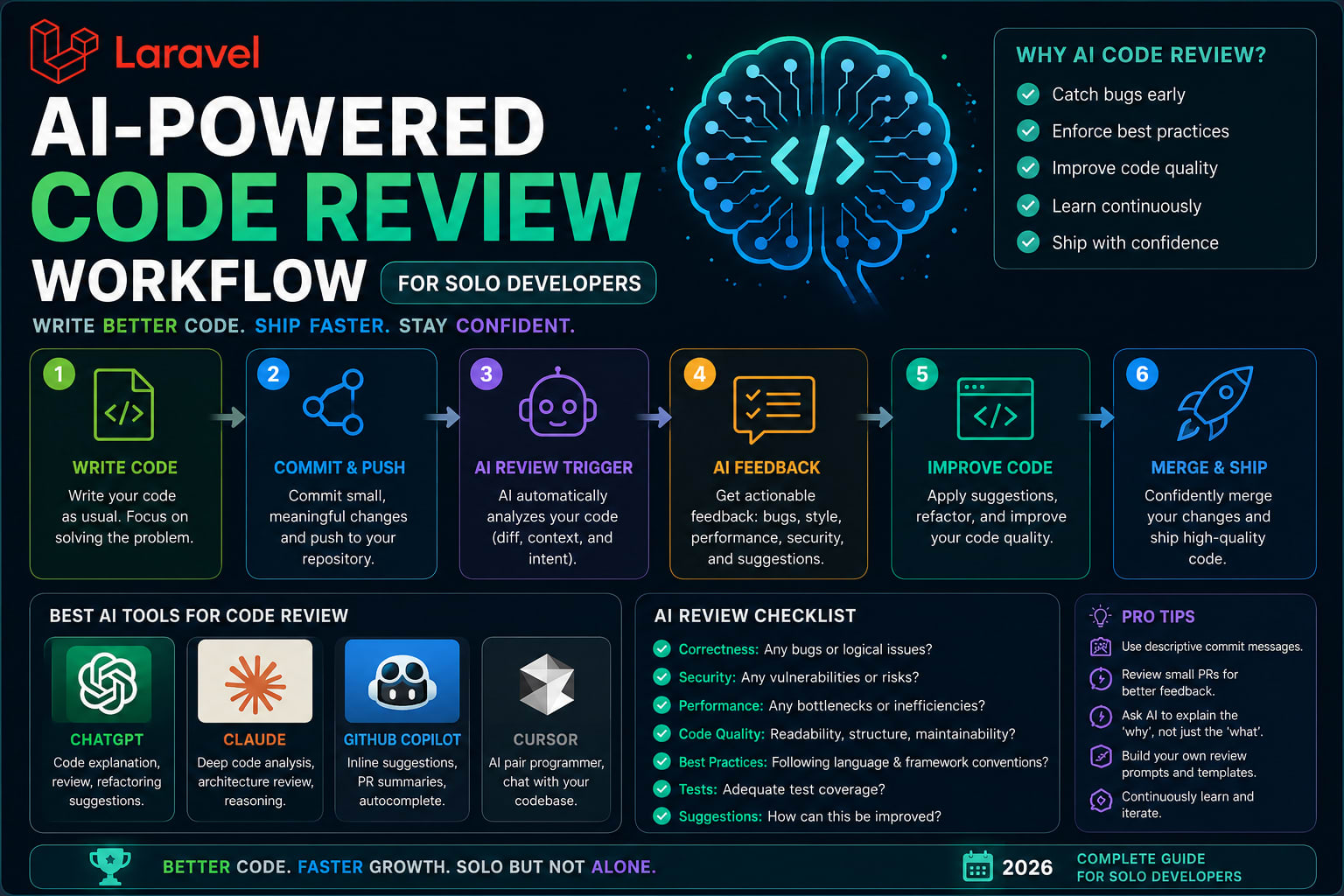
AI-Powered Code Review Workflow for Solo Developers (2026 Complete Guide)
There is a problem nobody talks about honestly in solo development.
You write the code. You review the code. You approve the code. You ship the code.
That is not a review process. That is one person having a conversation with themselves and calling it quality control.
I have shipped bugs to production that a ten-minute second opinion would have caught. A missed null check. A SQL query that works fine on five records and breaks on fifty thousand. An authentication flow that looked correct until someone tried an edge case nobody expected.
Every solo developer has a version of this story.
In 2026, there is a real answer to this problem that does not require hiring another developer or waiting for a code review that will never come. This is the complete workflow I use — setup, commands, habits, and all.
Why Traditional Approaches Fail Solo Developers
Before the solution, the honest problem statement.
Self-review is unreliable by design. Your brain knows what the code is supposed to do, so it reads what it meant to write, not what it actually wrote. You cannot unsee your own assumptions.
Linters catch syntax, not logic. ESLint, PHP CS Fixer, Prettier — these are essential but they tell you about formatting and style. They do not tell you that your token expiry logic has a race condition.
Waiting for community review does not scale. Posting code to Discord or Reddit works occasionally for learning. It is not a production workflow.
The core problem is probability. Assume Claude makes the right call 80% of the time on any individual decision. A typical feature involves 20 decision points. The probability of getting all of them right: 0.8 to the power of 20, roughly 1%. Planning fixes this. It collapses those 20 ambiguous decisions into a reviewed spec where each one lands near 100%, because you have already made the call. Appeaktech
This applies to humans too — including you reviewing your own code.
The Complete Workflow: Four Stages
Here is the full system, broken into four stages that map to your natural development cycle.
Stage 1 — Before You Write a Line: Plan Mode
Use plan mode for anything complex. Before Claude writes a single line of code, let it lay out its approach. It forces end-to-end thinking and lets you catch wrong assumptions before implementation begins. Correcting a plan is far easier than unwinding a half-finished feature. Medium
This is the step most developers skip. It is also the most impactful one.
How to do it:
bash
# In Claude Code, Shift+Tab twice to enter plan mode
# Then describe the feature — don't let it implement yet
Prompt template that works:
Plan the implementation for: [feature description]

Before planning, ask me any clarifying questions you need.
Do not write any code yet. Just lay out the approach,
the files you'll touch, the edge cases to handle,
and any assumptions you're making.
The phrase "do not write any code yet" is critical. Without that guard phrase, Claude skips revision and starts writing code immediately. One developer spent two hours on a twelve-step spec and recovered an estimated six to ten hours of implementation time. The upfront investment compounds heavily on larger features. Appeaktech
Review the plan. Push back on anything that looks wrong. Change the architecture before the code exists, not after.
Stage 2 — Before Every Commit: Parallel Subagent Review
This is the core of the workflow.
A comprehensive code review command spins up parallel subagents, each focused on a specific aspect of code quality. Instead of asking one model to review everything, the review is split into domain-specific agents. Each agent has a tightly scoped prompt telling it exactly what to look for — and more importantly, what to ignore. WPWeb Infotech
Setup — create a review command:
Create .claude/commands/review.md in your project:
markdown
# Pre-Commit Code Review

Run a comprehensive review of the staged changes by spinning up
specialized subagents in parallel. Each subagent focuses on ONE lens only.

## Subagent 1 — Logic & Correctness
Review for: bugs that would break production, wrong assumptions,
incorrect edge case handling, null pointer issues, off-by-one errors.
Ignore: style, naming, performance unless catastrophic.

## Subagent 2 — Security
Review for: SQL injection, XSS, CSRF gaps, authentication bypasses,
insecure direct object references, exposed secrets, improper input validation.
Ignore: everything else.

## Subagent 3 — Performance
Review for: N+1 queries, missing indexes, unnecessary loops,
unoptimized database calls, memory leaks, blocking operations.
Ignore: everything else.

## Subagent 4 — Edge Cases
Review for: empty inputs, null values, concurrent access issues,
large dataset behavior, network failure scenarios, timeout handling.
Ignore: everything else.

## Subagent 5 — Readability
Review for: naming clarity, function length, comment quality,
obvious code smells, duplication. Be opinionated but brief.
Ignore: everything else.

Aggregate findings by severity. Flag critical issues clearly.
Do not approve changes with critical findings.
Run it before every commit:
bash
git add .
claude /review
# Review findings, fix critical issues, then commit
Why parallel subagents instead of one review?
Instead of asking one model to review everything, splitting the review into domain-specific agents where each agent has a tightly scoped prompt means it knows exactly what to look for and — more importantly — what to ignore. GitHub
A single agent reviewing everything tries to be an expert at everything simultaneously. Specialized agents go deeper in their lane. The security agent is not distracted by naming conventions. The logic agent is not second-guessing performance tradeoffs.
Stage 3 — CLAUDE.md: Your Codebase's Memory
You can tune what Claude flags by adding a CLAUDE.md or REVIEW.md file to your repository. Growithraju
This file is how you teach Claude your codebase once and never repeat yourself.
A solid CLAUDE.md template for a Laravel project:
markdown
# Project: [Your Project Name]

## Architecture
- Repository pattern for all database access
- Controllers stay thin — business logic lives in Services
- All external API calls go through dedicated Service classes
- Events for cross-cutting concerns (don't call services from observers)

## Naming Conventions
- Services: UserService, PaymentService (not UserManager, UserHelper)
- Repositories: UserRepository (always suffixed)
- Events: UserRegistered, PaymentProcessed (past tense)
- Jobs: SendWelcomeEmail, ProcessPayment (imperative verb)

## Patterns We Use
- Form Requests for all validation — never validate in controllers
- API Resources for all JSON responses — never return models directly
- Enums for all status fields — never raw strings
- Soft deletes on all user-facing models

## Anti-Patterns — Flag These Immediately
- DB::raw() without binding parameters → SQL injection risk
- Direct env() calls outside config files → breaks config caching
- try/catch that swallows exceptions silently
- Nested callbacks deeper than 2 levels
- Any hardcoded credentials or API keys

## Testing
- Feature tests for all API endpoints
- Unit tests for Service classes
- No mocking of the database in feature tests — use RefreshDatabase

## Security Rules
- All routes behind auth middleware unless explicitly public
- Rate limiting on all public endpoints
- Validate file uploads: type, size, content
- Log all authentication events
Create skills for repetitive workflows. If you find yourself giving Claude the same instructions more than once, create a skill for it. The CLAUDE.md is that persistent skill layer — Claude reads it at the start of every session. Medium
Update it whenever you make an architecture decision. It compounds over time. By month three, Claude operates with the institutional knowledge of a developer who has been on your project from day one.
Stage 4 — Weekly Security Scan
The /security command, which does a security review, should be launched every once in a while. But it is still your job to guarantee the security of your code — do not count on it to catch all vulnerabilities. Medium
Run it every Friday before you close your laptop. It takes ten minutes and has saved me multiple times.
Enhanced security workflow:
bash
# 1. Run Claude's built-in security review
claude /security

# 2. Scan dependencies with Snyk MCP
# Add to your .claude/mcp.json:
{
  "servers": {
    "snyk": {
      "command": "mcp-server-snyk",
      "args": ["--token", "$SNYK_TOKEN"]
    }
  }
}

# Then ask Claude:
# "Check all dependencies for known vulnerabilities and flag anything
# with a CVSS score above 7.0"
What to actually look for in the security scan:
markdown
Security review checklist — add to REVIEW.md:

Authentication:
- [ ] All sensitive routes behind auth middleware
- [ ] Token expiry handled correctly
- [ ] Password reset tokens single-use only

Authorization:
- [ ] Policy checks on all resource access
- [ ] No direct object reference without ownership verification

Input:
- [ ] All user input validated before use
- [ ] File uploads: type, size, MIME validated
- [ ] No user input in raw SQL

Output:
- [ ] No sensitive data in API responses (passwords, tokens, internal IDs)
- [ ] Proper error messages (not stack traces in production)

Dependencies:
- [ ] No packages with known critical CVEs
- [ ] No packages abandoned for 2+ years
CI Auto-Fix — The Safety Net
With CI Auto-Fix, Claude Code files automatic fixes against failing PRs. The person who owns the PR never sees a red X. Claude is prompting Claude Code on its own. Kamruzzaman Polash
For solo developers, this changes the CI failure workflow entirely. Previously: CI fails → you get notified → you context-switch → you diagnose → you fix → you push → you wait. Now: CI fails → Claude diagnoses and files a fix → you review the fix in two minutes.
Enable it in your GitHub Actions workflow:
yaml
# .github/workflows/ci.yml
name: CI

on: [push, pull_request]

jobs:
  test:
    runs-on: ubuntu-latest
    steps:
      - uses: actions/checkout@v4
      - name: Run tests
        run: php artisan test

  claude-autofix:
    needs: test
    if: failure()
    runs-on: ubuntu-latest
    steps:
      - uses: actions/checkout@v4
      - name: Claude Auto-Fix
        uses: anthropics/claude-code-action@v1
        with:
          trigger: auto-fix
          anthropic-api-key: ${{ secrets.ANTHROPIC_API_KEY }}
Important: Review auto-fixes before merging. CI auto-fix is excellent for lint failures, type errors, and formatting issues. Be more careful with auto-fixes for failing tests — read what changed before accepting it.
Context Management — The Hidden Workflow Killer
A fresh session consumes roughly 20,000 tokens, loading the system prompt, tool definitions, and CLAUDE.md before you type anything. Quality starts degrading at 20 to 40% of the 200,000-token window. Multiple practitioners have independently settled on the same threshold: do not let context exceed 60% capacity. Appeaktech
For long review sessions, this matters more than most developers realize.
The session reset workflow:
bash
# When context is getting long, before running /clear:
claude "Summarize everything important about what we've done
in this session — decisions made, files changed, issues found,
and what's still pending. Save it to session-notes.md"

# Then reset
/clear

# Start next session with:
claude "Read session-notes.md and continue from where we left off"
This is better than /compact. You control exactly what survives. /compact condenses in memory but saves nothing to your files. Appeaktech
The GitHub CLI Integration
Install gh (the GitHub CLI). This lets Claude interact with GitHub directly: open pull requests, comment on issues, read CI logs. This makes the workflow significantly smoother. Medium
bash
# Install GitHub CLI
brew install gh
gh auth login

# Now Claude can:
# - Create PRs directly from terminal
# - Read CI logs without opening browser
# - Comment on issues
# - Check PR status
Workflow prompt after finishing a feature:
"Review the changes in this branch against main,
write a clear PR description explaining what changed and why,
check if CI is passing, and open a pull request."
One command. Claude does the diff, writes the description, and creates the PR.
The One Mistake to Avoid
Be careful not to add too many tools. Each tool adds complexity and context to manage, so only add the ones that really make a difference for your workflow. A handful of well-chosen tools is much more effective than a dozen half-used ones. Medium
And the more specific mistake:
Be aware of the cost of running too many things in parallel. The /batch command lets you run a batch of instructions in one go, but it optimizes the wrong thing. By the time something breaks, you have lost the granularity to know which step caused it. Medium
One change. One review. One commit. The discipline of small, reviewable changes is more valuable than any tool in this list.
Complete Setup Checklist
Day one:
- Install Claude Code and authenticate
- Install GitHub CLI (
gh auth login) - Create
CLAUDE.mdin your project root with architecture rules - Create
.claude/commands/review.mdwith parallel subagent setup - Add Snyk MCP server to
.claude/mcp.json
Every commit:
- Run
/reviewbeforegit commit - Fix all critical findings
- Commit critical and important fixes separately
Every Friday:
- Run
/securityacross the full codebase - Check dependency vulnerabilities via Snyk MCP
- Update
CLAUDE.mdwith any decisions made this week
Every feature:
- Plan mode before implementation
- Session notes saved before any
/clear - PR description written by Claude, reviewed by you
The Real Benefit
Solo development will always have limitations. You cannot replicate the knowledge-sharing and cross-pollination that comes from working on a team.
But the code review gap — the second-pair-of-eyes problem — is solvable. Claude Code represents a paradigm shift in developer productivity, especially for solo developers and small teams. When properly configured with MCP servers and skills, it can produce professional-grade code while respecting modern best practices. ALM Corp
The workflow above is not a replacement for judgment. It is infrastructure that makes your judgment more reliable, more consistent, and less dependent on whether you are having a good day or a tired one.
That is worth building.
Tushar Modi — Full Stack Developer, Jaipur tusharmodi.in