
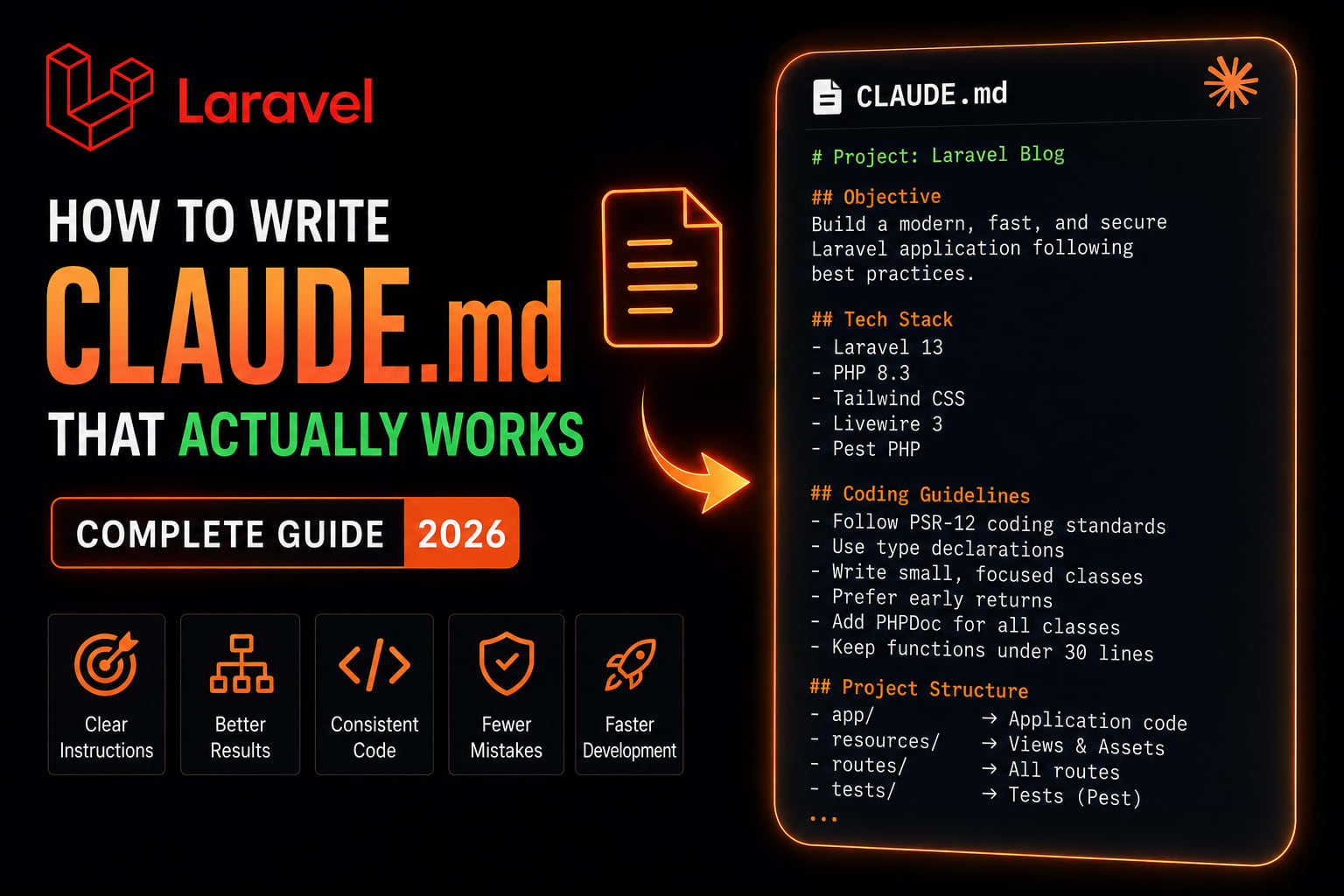
How to Write CLAUDE.md That Actually Works — Complete Guide (2026)
I spent three weeks thinking Claude was broken.
My CLAUDE.md was detailed. It had architecture rules, naming conventions, anti-patterns to avoid, testing requirements, security guidelines. I put real effort into it.
Claude ignored most of it.
Not all of it. Enough of it to be maddening. The instructions it followed, it followed well. The ones it ignored, it ignored consistently. I could not figure out the pattern.
Then I found the research that explained everything — and I rewrote my CLAUDE.md from scratch in forty minutes. Claude's compliance went from inconsistent to reliable almost immediately.
This guide covers everything I learned. What CLAUDE.md actually is, why most of them fail, and how to write one that works.
What CLAUDE.md Actually Is
Coding agents know absolutely nothing about your codebase at the beginning of each session. The agent must be told anything that is important to know each time you start a session. CLAUDE.md is the preferred way of doing this. Tamiltech
Claude starts every session with no memory of the last one. It does not know your code style preferences. It does not know how to run your tests. It does not know that your team uses a specific branch naming convention or that there is a quirky workaround in your authentication module. You end up repeating yourself. Or worse, you forget to mention something important and spend time fixing code that did not follow your conventions. Laravel
CLAUDE.md is a special file that Claude reads at the start of every conversation. Include bash commands, code style, and workflow rules. This gives Claude persistent context it cannot infer from code alone. Kamruzzaman Polash
Simple enough. But here is what most tutorials miss.
The Hidden Reason Your CLAUDE.md Fails
Frontier thinking LLMs can follow approximately 150 to 200 instructions with reasonable consistency. Claude Code's system prompt contains roughly 50 individual instructions. Depending on the model you are using, that is nearly a third of the instructions your agent can reliably follow already — before rules, plugins, skills, or user messages. Tamiltech
Read that again.
Before you write a single word in your CLAUDE.md, Claude Code has already consumed a third of its reliable instruction budget on its own system prompt. Your file gets roughly 100 to 150 slots.
As instruction count increases, instruction-following quality decreases uniformly. This means that as you give the LLM more instructions, it does not simply ignore the newer ones — it begins to ignore all of them uniformly. Tamiltech
This is why the long, detailed CLAUDE.md fails. Every instruction you add past the budget does not just get ignored — it makes every other instruction slightly less reliable. You are actively making the file worse by adding to it.
The Core Principle: Write What Claude Gets Wrong
Document what Claude gets wrong — not what it should already know. GitHub
This single principle changes everything about how you write the file.
Before (wrong approach):
markdown
# Code Style
- Use meaningful variable names
- Write clean, readable code
- Add comments to complex functions
- Handle errors properly
- Follow SOLID principles
Claude already does all of this. These instructions are consuming your budget and providing zero value.
After (correct approach):
markdown
# Known Issues — Claude Gets These Wrong in This Project
- This project uses Repository pattern — do NOT put DB queries in Controllers
- Config is cached in production — never call env() outside config/ files
- We use Form Requests for validation — never validate in Controller methods
These are project-specific deviations from Claude's defaults. This is where your instruction budget should go.
Progressive Disclosure — The Right Mental Model
Use progressive disclosure. Do not tell Claude all the information you could possibly want it to know. Rather, tell it how to find important information so that it can find and use it, but only when it needs to, to avoid bloating your context window or instruction count. Tamiltech
Wrong:
markdown
# API Endpoints
POST /api/users — creates user, requires name, email, password
GET /api/users/{id} — returns user with role and permissions
PUT /api/users/{id} — updates user, only admins can change role
DELETE /api/users/{id} — soft deletes, requires admin role
... (40 more endpoints)
Right:
markdown
# API Structure
For endpoint details, read docs/api-reference.md before making changes.
All endpoints follow RESTful conventions — see docs/api-conventions.md for exceptions.
The first version bloats every session with information Claude only needs when working on API-related code. The second version tells Claude where to look, and it only looks when it needs to.
Prohibitions vs Alternatives
Do not write prohibitions without alternatives — Claude gets stuck. Instead of "Never use --foo-bar flag", write "Never use --foo-bar; prefer --baz instead." GitHub
This applies broadly:
markdown
# Wrong — prohibition only
- Never use raw DB queries
- Don't commit directly to main
- Never hardcode API keys

# Right — prohibition with alternative
- Never use raw DB queries; use Eloquent or the QueryBuilder instead
- Never commit directly to main; always create a feature branch and PR
- Never hardcode API keys; use config() with values from .env
When you block a path without showing another, Claude either guesses an alternative or gets stuck in a loop. The alternative is not optional context — it is part of the instruction.
The /init Starting Point
Run /init to generate a starter CLAUDE.md file based on your current project structure, then refine over time. The /init command analyzes your codebase to detect build systems, test frameworks, and code patterns, giving you a solid foundation to refine. Kamruzzaman Polash
Some people recommend writing it from scratch, but /init gives you a starting point to delete from. Deleting is easier than creating from scratch. The generated file often includes obvious things you do not need spelled out, or filler that does not add value. Laravel
bash
# In your project directory
claude /init
Review what it generates. Delete anything Claude already does correctly by default. Keep only what is specific to your project, your stack, or your conventions that deviate from normal.
The Complete Structure — What to Include
Here is the structure that works, in order of priority:
Section 1 — Project Identity (3-5 lines max)
markdown
# Project: GoRiderss API

NestJS + PostgreSQL REST API for a motorcycle community app.
Monorepo: apps/api (NestJS), apps/admin (Next.js), apps/mobile (Expo).
Primary language: TypeScript. Node 20+.
Short. Factual. No padding.
Section 2 — Essential Commands (copy-paste ready)
markdown
## Commands

# Development
pnpm dev              # Start all apps
pnpm dev --filter api # Start API only

# Testing
pnpm test             # Run all tests
pnpm test --filter api # API tests only
pnpm test:e2e         # End-to-end tests

# Database
pnpm db:migrate       # Run migrations
pnpm db:seed          # Seed development data
pnpm db:reset         # Drop, migrate, seed

# Build
pnpm build            # Build all apps
pnpm lint             # Run ESLint across monorepo
Include bash commands, code style, and workflow rules. This gives Claude persistent context it cannot infer from code alone. Kamruzzaman Polash
Section 3 — Architecture Rules (deviations only)
markdown
## Architecture

Repository pattern for all data access — never query the database in Controllers or Services directly.
Services handle business logic — Controllers handle HTTP only (parse request, call service, return response).
All external API calls go through the dedicated integrations/ directory.
Events for cross-cutting concerns — do not call Services from entity observers.

For module structure details: see docs/architecture.md
For dependency injection patterns: see docs/di-patterns.md
Note: the last two lines are progressive disclosure — pointers, not content.
Section 4 — Anti-Patterns (project-specific gotchas)
markdown
## Anti-Patterns — Flag These Immediately

Security:
- Never use user input in raw SQL — always use parameterized queries
- Never log sensitive data (passwords, tokens, PII) — even at debug level
- Never disable CORS globally — configure per-route only

Database:
- Never modify existing migrations — create new ones
- Never call DB directly in a loop — use bulk operations or eager loading
- Never skip soft deletes on user-facing models

Code:
- Never swallow exceptions silently in try/catch
- Never use any type in TypeScript — use unknown and narrow it
- Never import from barrel files in the same module — causes circular deps
Section 5 — Testing Requirements
markdown
## Testing

Run tests before committing: pnpm test
Run affected tests only during development: pnpm test --watch

Required coverage:
- All Service methods: unit tests
- All API endpoints: feature/integration tests
- All authentication flows: security-focused integration tests

Do NOT mock the database in feature tests — use the test database with transactions.
Do NOT write tests that test implementation details — test behavior and output.
Section 6 — Git Workflow
markdown
## Git

Branch naming: feature/description, fix/description, chore/description
Commit format: type(scope): description
  feat(auth): add JWT refresh token rotation
  fix(api): handle null user in profile endpoint
  chore(deps): update TypeScript to 5.4

Never commit directly to main or develop.
Create separate commits per logical change — do not bundle unrelated changes.
Write PR descriptions that explain WHY, not just WHAT changed.
Lazy-Loaded Rules — The Advanced Move
Rules in .claude/rules/*.md with YAML frontmatter are lazy-loaded only when Claude touches matching files. Without frontmatter they load into every session like CLAUDE.md. Impact Techlab
This is how you keep your main CLAUDE.md short while still having detailed rules for specific contexts.
.claude/
  rules/
    database.md       # loads when Claude touches migration files
    api.md            # loads when Claude touches route/controller files
    security.md       # loads when Claude touches auth-related files
    frontend.md       # loads when Claude touches React/Vue components
Example .claude/rules/database.md:
yaml
---
paths:
  - "database/migrations/**"
  - "app/Models/**"
---

# Database Rules

## Migrations
- Always use up() and down() methods — make migrations reversible
- Never modify existing migrations — create new ones
- Use meaningful names: create_users_table, add_avatar_to_users_table
- Test down() rollbacks before pushing

## Eloquent Models
- Define $fillable explicitly — never use $guarded = []
- Use casts for dates, booleans, enums — never cast manually in code
- Scope methods start with scope: scopeActive(), scopeVerified()
- Relationships must have return type declarations

## Query Performance
- Eager load relationships — never lazy load inside loops
- Add database indexes for all foreign keys and frequently filtered columns
- For large datasets: use chunk() or cursor() — never get() then iterate
This rule file loads only when Claude is working on database-related files. It never consumes your instruction budget on a session where Claude is working on frontend code.
Real Templates
Laravel / PHP Project
markdown
# Project: [Name]

Laravel 13 + PostgreSQL 18 application.
PHP 8.3+. Deployed on Railway.

## Commands
php artisan serve          # Development server
php artisan test           # Run test suite
php artisan test --filter  # Run specific test
php artisan migrate        # Run migrations
php artisan migrate:fresh --seed  # Reset and seed

## Architecture
- Repository pattern — all DB access through Repositories, not directly in Services
- Form Requests — all validation here, never in Controllers
- API Resources — all JSON responses through Resource classes, never raw models
- Service classes — business logic only, no HTTP concerns
- Events — cross-cutting concerns (notifications, logging, side effects)

For module structure: see docs/architecture.md

## Anti-Patterns — Flag These
- env() calls outside config/ directory → breaks config caching in production
- DB::raw() without parameter binding → SQL injection risk
- Validation logic in Controllers → use Form Requests
- Return model directly from API → use API Resource
- Missing $fillable on model → mass assignment vulnerability

## Testing
php artisan test before committing.
Feature tests for all API endpoints — use RefreshDatabase trait.
Unit tests for all Service methods.
Never mock the database in feature tests.

## Git
feat/description, fix/description, chore/description branch naming.
Conventional commits: feat(auth): add passkey support
React / Next.js Project
markdown
# Project: [Name]

Next.js 15 + TypeScript + Tailwind CSS.
App Router. Deployed on Vercel.

## Commands
pnpm dev          # Development
pnpm build        # Production build
pnpm test         # Vitest
pnpm lint         # ESLint

## Architecture
- Server Components by default — only use 'use client' when necessary
- Data fetching in Server Components — never useEffect for initial data
- All API calls through the lib/api/ directory — never fetch directly in components
- Zustand for global state — React state for local UI state only

For component patterns: see docs/component-guide.md

## Anti-Patterns — Flag These
- 'use client' on a component that doesn't need it → unnecessary client bundle
- useEffect for data fetching → use Server Components or SWR
- any type in TypeScript → use unknown and narrow it
- Inline styles → use Tailwind classes
- Direct API calls in components → use lib/api/ layer

## Testing
pnpm test before committing.
Vitest for unit tests. Playwright for E2E.
Test behavior, not implementation details.
Turborepo Monorepo (GoRiderss-style)
markdown
# Project: GoRiderss Monorepo

Turborepo monorepo: NestJS API → Railway, Next.js admin → Vercel, Expo mobile → EAS.
pnpm workspaces. Node 20+. TypeScript throughout.

## Commands
pnpm dev                    # All apps
pnpm dev --filter api       # API only
pnpm dev --filter admin     # Admin only
pnpm build                  # All apps (respects Turbo cache)
pnpm test                   # All tests
pnpm lint                   # All apps

## Workspace Structure
apps/api       — NestJS REST API
apps/admin     — Next.js admin panel
apps/mobile    — Expo React Native app
packages/ui    — Shared component library
packages/types — Shared TypeScript types
packages/utils — Shared utilities

## Cross-Workspace Rules
- Shared types go in packages/types — never duplicate type definitions
- Never import from apps/ in packages/ — one-way dependency only
- API changes require updating packages/types first, then consuming apps
- Breaking changes require version bump in package.json

For API architecture: see apps/api/docs/architecture.md
For admin patterns: see apps/admin/docs/patterns.md
Maintenance — The Step Everyone Skips
Every few weeks, ask Claude to review and optimize your CLAUDE.md. Over time, instructions accumulate. Some become redundant. Others conflict with newer additions. A quick "review this CLAUDE.md and suggest improvements" surfaces these issues. Delete what is obsolete. Consolidate what is redundant. Clarify what is ambiguous. Laravel
Run this prompt monthly:
Review my CLAUDE.md and tell me:
1. Which instructions are redundant with what you already do by default?
2. Which instructions conflict with each other?
3. Which instructions are too vague to be actionable?
4. What's missing that would actually help you work on this codebase?

Be specific. Suggest deletions freely.
If your CLAUDE.md is too long, Claude ignores half of it because important rules get lost in the noise. Ruthlessly prune. If Claude already does something correctly without the instruction, delete it or convert it to a hook. Kamruzzaman Polash
What Not to Put In CLAUDE.md
Claude is not a linter. Use linters and code formatters, and use other features like hooks and slash commands as necessary. CLAUDE.md is the highest leverage point of the harness — avoid wasting it on things other tools handle better. Tamiltech
Let your actual tools handle these:
- Code formatting → Prettier, PHP CS Fixer
- Import ordering → ESLint import plugin
- Unused variable warnings → TypeScript strict mode
- Security vulnerability scanning → Snyk MCP
- Test coverage thresholds → your test runner config
CLAUDE.md handles what no tool can: project-specific decisions, architectural constraints, conventions that deviate from standard, and the specific mistakes Claude makes on your codebase.
The Checklist
Writing:
- Generated with
/initand pruned aggressively - Only contains what Claude gets wrong, not what it already does right
- Every prohibition has an alternative
- Pointers to docs, not docs themselves
- Commands are copy-paste ready and tested
Structure:
- Project identity under 5 lines
- Context-specific rules in
.claude/rules/*.mdwith YAML frontmatter - No formatting or linting rules — use actual tools for those
- Total file under 100 lines ideally
Maintenance:
- Monthly review with Claude
- Updated after every architectural decision
- Committed to version control so the team shares it
Wrapping Up
Context management is paramount. The most successful Claude Code users obsessively manage context through CLAUDE.md files, aggressive /clear usage, documentation systems, and token-efficient tool design. Context degradation is the primary failure mode. GitHub
The CLAUDE.md that works is not the most comprehensive one. It is the most ruthlessly edited one. Short, specific, maintained regularly, and focused entirely on what Claude gets wrong in your specific codebase.
That file compounds over time. By month three, Claude operates with the institutional knowledge of a developer who has been on your project from the beginning — without you repeating yourself in every session.
That is what you are building toward.
Tushar Modi — Full Stack Developer, Jaipur tusharmodi.in